Turn any image into something you can build
Upload a photo, pick your material (Rubik's cubes, LEGO, cross stitch, glass fusing, stained glass, mosaic and 40 more) and get the pattern, the instructions and the shopping list. Instantly.
Free forever · No card · Cancel anytime
A look inside
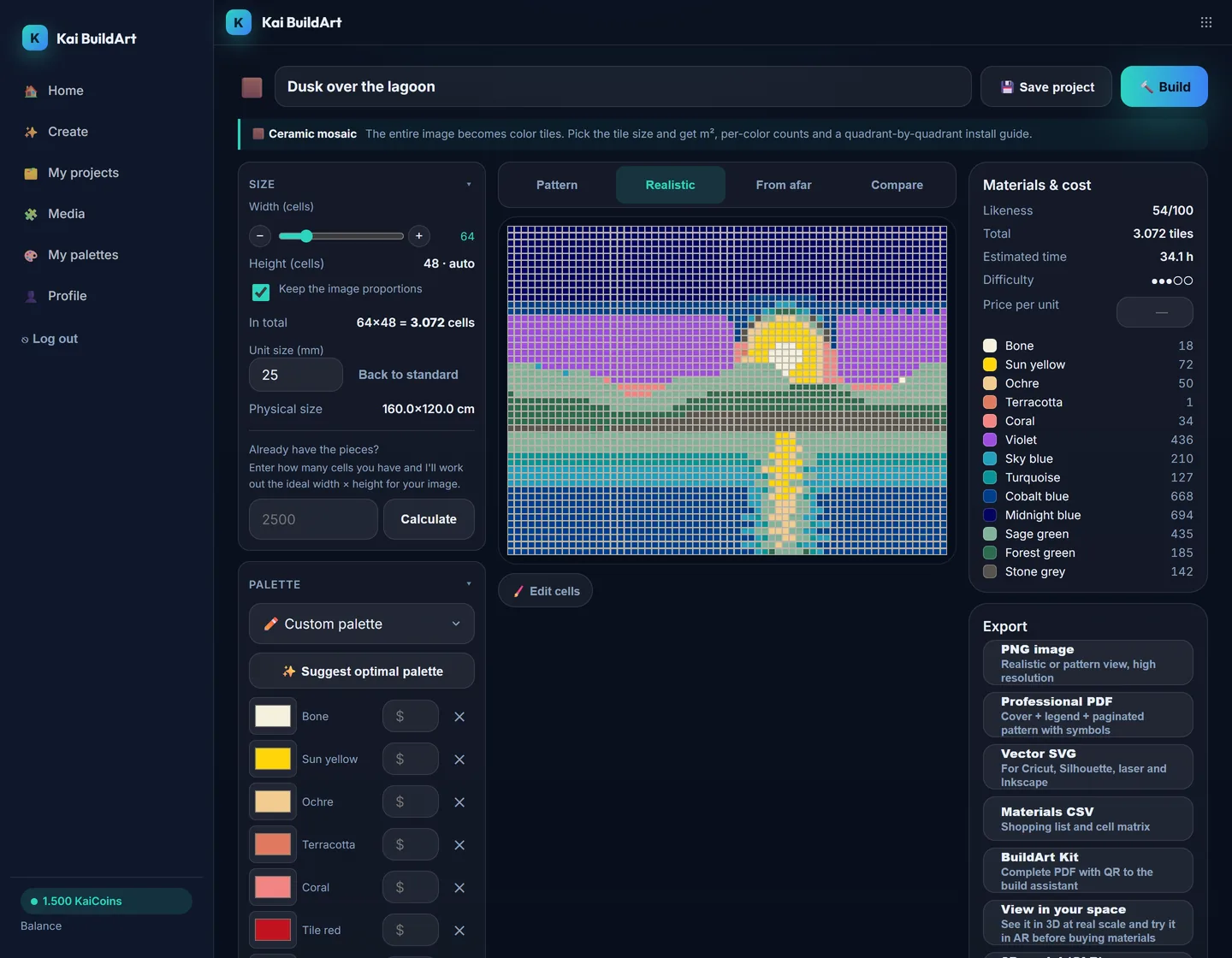
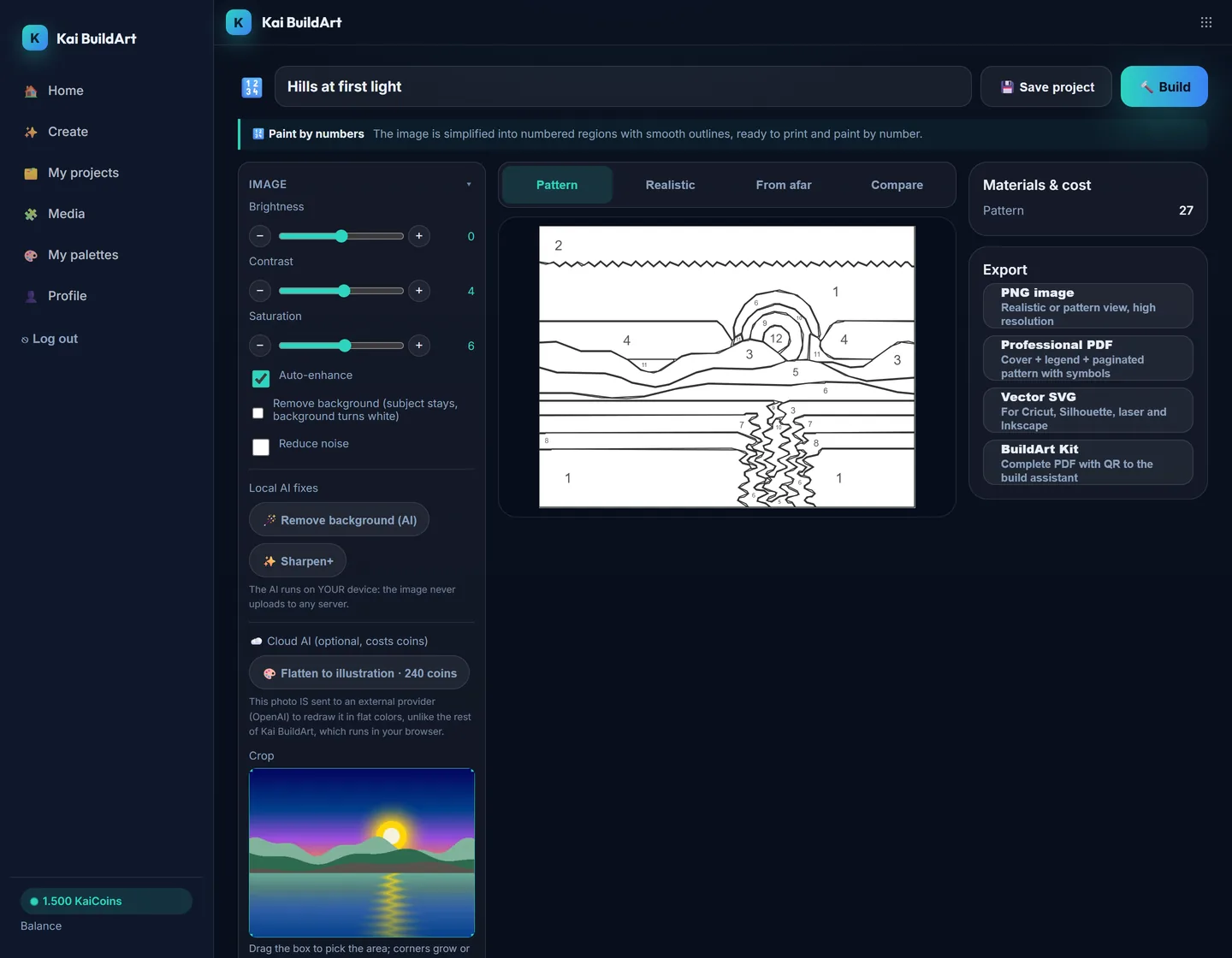
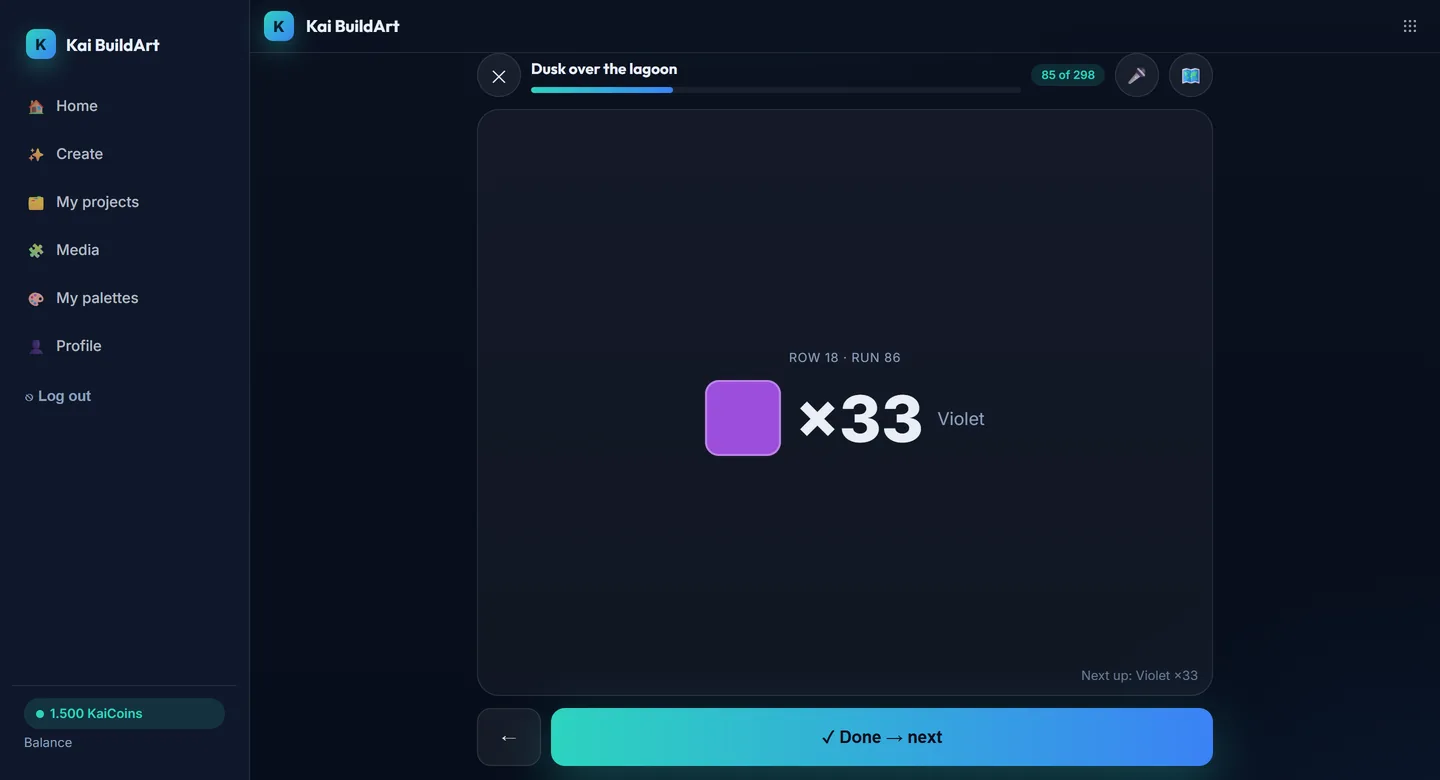
Three real screens from a demo account: the finished piece, the same image turned into a different craft, and the assistant that gets it onto the wall.
Sound familiar?
"I want a Rubik's cube mosaic but mapping colors by hand takes days"
"Free tools won't let me use MY colors or MY size"
"I have the pattern… now how do I build it without getting lost?"
Every weekend without that mosaic on the wall is another "someday". And the hours you spend mapping colors by hand are hours you don't build.
“We believe the creative part is building with your hands, not fighting color spreadsheets. From pixel to piece: the machine does the math, you make the art.”
Kai BuildArt turns images into instructions for a person to build by hand. We don't generate files so a machine makes the piece on its own: the finished work always carries your touch.
Kai BuildArt solves the whole journey
Everything live, no waiting
Move a slider and the pattern rebuilds instantly. Realistic material view, pattern view, and the magical "from afar" view.
Your materials, your rules
Real palettes (DMC, LEGO, Hama, Rubik colors) or your own. Inventory mode: use only what's in your drawer.
From pattern to finished piece
Interactive Build Mode piece by piece, shopping list with costs, and pro exports: PDF, SVG, CSV, STL, DXF.
46 art media
Rubik, LEGO, cross stitch, C2C crochet, stained glass, glass fusing, woven hoop mandalas, paint by numbers, string art, 3D lithophanes, LED, murals and more.
How it works
Upload your image (or generate it with AI)
Pick your medium and constraints
Tune it live until you love it
Export the pattern and build it guided
What do you want to build your image with?
Each medium with real palettes, physical units and instructions.
Who is this for
Mosaic builders (Rubik, LEGO, beads) who want the exact pattern and shopping list.
Stitchers and knitters who need real codes (DMC) and professional PDFs.
Makers with lasers, 3D printers or Cricut who want ready files (SVG, DXF, STL).
Looking for a pixel-by-pixel drawing editor like Photoshop? That's not us: we start from an image and make it buildable.
What the people using it say
No reviews published yet. The first ones will appear here as they arrive.
Honest pricing
Convert for free forever. Pay only when you need size and pro tools.
Annual subscription: one charge a year instead of twelve. It renews every 12 months at the price in force; cancel whenever you like.
Free
To try it out, and for real small projects.
- Grid up to 50×50
- 3 projects
- Watermarked PNG + basic PDF
Maker
The serious builder: full size and 2D exports.
US$ 49.90 · billed yearly
- Grid up to 150×150
- 50 projects
- Pro PDF + SVG + CSV + clean PNG
Studio
The creator who makes and sells their own work: STL, DXF, API and a commercial license.
US$ 99.90 · billed yearly
- Grid up to 300×300
- Unlimited projects
- Pro PDF + SVG + CSV + clean PNG
- STL + DXF + Arduino
- REST API + MCP
Workshop
The business: client work, white-label and more capacity.
US$ 199.90 · billed yearly
- Grid up to 500×500
- Unlimited projects
- Pro PDF + SVG + CSV + clean PNG
- STL + DXF + Arduino
- REST API + MCP
- Kit with YOUR logo (white-label)
Frequently asked questions
How much does it cost?
Converting is free forever (up to 50×50 cells). Paid plans start at US$ 4.99 a month and unlock big grids, pro exports (paginated PDF, SVG, CSV, STL, DXF) and the BuildArt Kit. Annual gives you 2 months free.
How is this different from the free tools out there?
Three things you won't find together: inventory mode (use ONLY the colors and quantities you own), an interactive piece-by-piece Build Mode, and 46 media in one tool with fabrication exports. Plus everything runs in your browser: real privacy.
Does my image get uploaded anywhere?
Not to convert: the engine runs in your browser. Your image leaves your device only in two cases you choose: if you save the project (a reduced copy, 512 px max, so you can reopen it on another device) and if you use an AI feature (the image goes to the AI provider for that action only; photo to 3D sends it to Tripo). It is not used to train models.
Do I need design or tech skills?
No. Upload an image, pick your material and move simple sliders. The app calculates colors, quantities, costs and guides you piece by piece as you build.
What are KaiCoins?
The currency for AI features (generate designs, advisor, guides). Normal conversions never spend KaiCoins: they're free and unlimited.
Can I sell the patterns I generate?
Yes. With Studio you can sell what you make from your patterns; with Workshop you can also deliver them to clients under your brand. Free and Maker are for personal use.
How do I pay?
By card or local payment methods through dLocal Go, which today charges in Argentina, Bolivia, Brazil, Chile, Colombia, Costa Rica, Ecuador, Guatemala, Mexico, Peru, Paraguay, Uruguay, Kenya, Nigeria, Indonesia, and Malaysia. If your country isn't on the list, the Free plan works the same without paying; write to us and we'll let you know when payments reach your country. Monthly or annual subscription: the annual one is charged once a year and renews on its own until you cancel. No card? You can also pay for a year up front, and that payment doesn't renew.
What if I pay and it wasn't what I expected?
If it's your first purchase of a plan, you can ask for a refund within 7 days of the first charge (once per customer): you get back what you paid minus only the plan KaiCoins you already spent. Cancelling is always free and done from your account: you won't be charged again and you keep access until the paid period ends. The details are in the refund policy, in the footer.
Does it work on my phone?
Yes. It works in your phone's browser and installs as an app, no app store needed. Build Mode is designed for keeping your phone next to your work table: the screen stays on while you build, the current piece is shown large, and your progress is saved where you left it.
Does it work for a workshop, a school or a team?
Yes, with one account per person: there are no shared seats or team management yet. The Workshop plan covers client work, kits with your logo and an API to automate; Studio already includes the API and a license to sell what you make.
What happens if my plan expires?
You get 5 days of grace. Then you drop to Free: nothing is deleted, extra projects become read-only until you reactivate.
How does inventory mode work?
You tell it how many units you own per color and the engine distributes the pattern without exceeding your stock.
Kai BuildArt updates
New media, editor improvements and building tips. An email every now and then, and you can unsubscribe with one click.
Your next piece starts with an image
Free forever · No card · Cancel anytime